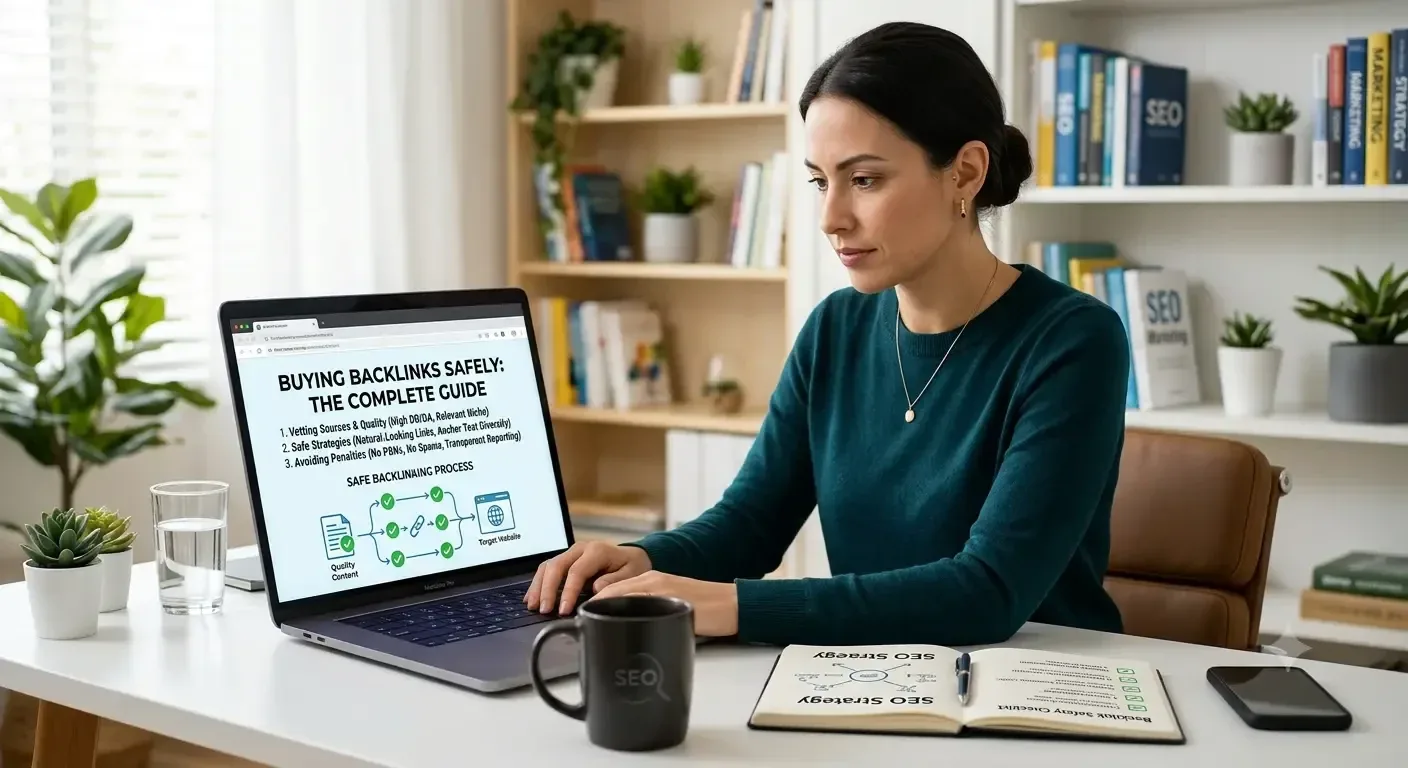
Buying Backlinks Safely: The Complete Guide
You've found a site that looks perfect for your link. The price seems fair, the metrics look strong, and the seller is friendly. But a small voice in your head keeps asking, "What if this link hurts my site instead of helping it?"
You're right to ask. One SEO on Reddit summed up the fear in six words: "Don't do it. It ruined my biggest websites." (Reddit)
The good news is that you can buy backlinks without putting your site at risk. You just need to know what to check, who to trust and how Google sees paid links.
Can you buy backlinks safely?
Yes, you can. Buying links is a normal part of online advertising, and Google says so itself. What makes a backlink safe or risky is where you buy it, what you buy and how it's labelled.
Safe backlinks come from relevant sites with real readers, sit inside genuine content and follow Google's rules on paid links. Get those three things right and you're buying white hat backlinks. Get them wrong and you're paying for links that do nothing, or worse, put your rankings at risk.
In this guide, you'll learn how to check any publisher yourself in 7 simple steps, what Google really allows, and when it makes sense to let a link building marketplace do the checking for you.
Want to skip the vetting? Browse 10,000+ checked publishers on Link2Rank |
In this guide
Is it safe to buy backlinks?
What makes a backlink safe to buy?
Step 1: Choose the right publisher
Step 2: Spot a bad link seller
Step 3: Spot a PBN before you pay
Step 4: Know Google's rules on paid links
Step 5: Pick the right placement
Step 6: Set a sensible budget
Step 7: Check your link after it goes live
Where is the best place to buy backlinks?
Do backlinks help you show up in AI answers?
Your safe backlink buying checklist
FAQs
Is it safe to buy backlinks?
Yes, buying backlinks is safe when the link is placed on a real, relevant site and labelled the way Google asks. It becomes risky when you pay for links that exist only to game rankings, on sites built only to sell them.
Here's the part most guides skip. Google doesn't ban paid links. It bans paid links that are used to manipulate rankings. In its own spam policies, Google says:
"Google does understand that buying and selling links is a normal part of the economy of the web for advertising and sponsorship purposes. It's not a violation of our policies to have such links as long as they are qualified with a rel="nofollow" or rel="sponsored" attribute value to the <a> tag." — Google Search Central, Spam policies
So there are really two kinds of paid links:
Advertising links. You pay to be featured on a relevant site, and the link is labelled honestly. This is allowed, and it can bring you real visitors, brand awareness and trust.
Link spam. You pay for links on low-quality sites purely to push your rankings, with no real readers and no honest labelling. This is what gets sites into trouble.
You're also far from alone. According to an Authority Hacker survey of 755 link builders, as reported by Ahrefs, 74.3% of link builders buy backlinks. The question isn't whether people buy links. It's whether they buy them carefully.
Takeaway: buying links isn't the risk. Buying the wrong links, from the wrong people, without the right label, is.
What makes a backlink safe to buy?
A safe backlink is a link from a relevant, trusted website with real readers, placed inside genuine content and labelled honestly. If a link ticks all four boxes, it's one of the safe backlinks to buy. If it misses any one of them, slow down.
This matters because Google doesn't treat every link the same. As Google's John Mueller put it:
"We don't give every link that we find full weight." — John Mueller, Google (Search Engine Roundtable)
In other words, a cheap link from a spammy site often just gets ignored. You don't get penalised, but you don't get anything for your money either.
Here are the four signs of white hat backlinks, and who checks each one:
What to check | How to check it yourself | Link2Rank checks it for you |
Relevance: does the site cover your topic? | Read its last 10 posts. Would your audience read them? | Every publisher is sorted into one of 55+ niches |
Real traffic: do real people visit? | Check organic traffic trends in Ahrefs or Semrush | Traffic reviewed before a site is listed [CONFIRM] |
Real content: is it a genuine site? | Look for an About page, real authors and useful posts | Sites screened for quality before listing [INPUT 3] |
Honest labelling: is the link tagged correctly? | Ask how paid links are marked | [INPUT 1] |
Takeaway: don't buy the metric. Buy the site, its readers and its reputation.
Step 1: Choose the right publisher
The right publisher is a site your customers already read, in your niche, with steady organic traffic and real editorial standards. Choosing well at this stage prevents most problems later on.
It's tempting to judge a site by one number, like Domain Authority (DA) or Domain Rating (DR). But those scores only estimate a site's link strength. They don't tell you whether real people read it, or whether Google trusts it. As one SEO on Reddit put it well: "Most "backlink lists" are basically selling metrics, not actual value." (Reddit)
How to check it yourself
Look at:
Topic fit. Does the site write about your industry, or about everything under the sun?
Traffic trend. Is organic traffic steady or growing, and does it come from your target country?
Content quality. Are posts useful, well written and signed by real authors?
Outbound links. Does every post link out to a paying client? That's a warning sign.
Indexing. Search site:theirdomain.com in Google. If few pages show up, walk away.
Takeaway: a smaller, relevant site with real readers beats a big, generic site every time.
Step 2: Spot a bad link seller
A bad link seller promises fast, cheap, guaranteed results and can't show you where the links will go. If a deal sounds too good to be true, it usually is.
Bad sellers are the fastest way to waste your budget. Ahrefs puts it bluntly:
"Never pursue links from sites that are obvious link sellers because a Google penalty is probably just around the corner." — Joshua Hardwick, Ahrefs
How to check it yourself
Watch for these five red flags:
Bulk deals. "500 links for $50" is never a bargain. As one Reddit user said: "If someone is offering 500 backlinks for $50... that's usually a red flag." (Reddit)
Hidden sites. The seller won't share the URLs before you pay.
Ranking guarantees. Nobody can promise you the top spot on Google.
"Write for us" everywhere. The site openly sells posts to anyone, on any topic.
No replacement policy. If the link disappears next month, you're on your own.
Read more: Red Flags of a Bad Link Seller: 10 Signs to Walk Away
Takeaway: a trustworthy seller shows you the site, the price and the terms before you pay.
Step 3: Spot a PBN before you pay
A private blog network (PBN) is a group of websites built mainly to sell or pass links, not to serve readers. Links from PBNs are among the riskiest you can buy.
PBNs often look impressive on paper. They're usually built on expired domains that still carry old authority, which is why their metrics look high and their prices low. One Reddit user spotted the pattern: "Sites with AS 50+ may be cheap because they can be PBNs (Private Blog Networks), which can be spammy." (Reddit)
How to check it yourself
Look at:
Mixed topics. Posts on loans, pets and crypto on the same site.
No real audience. Strong DR, but almost no organic traffic.
Thin About pages. No real people, no contact details, no social profiles.
Domain history. Check the Wayback Machine. Was the site something completely different a year ago?
Read more: How to Spot a PBN Before You Buy a Backlink
Takeaway: high metrics plus low traffic plus random topics usually means a PBN. Walk away.
Step 4: Know Google's rules on paid links
Google's rule is simple: a link you paid for should be marked with rel="sponsored" (or rel="nofollow"). Paid links that pass ranking credit without a label break Google's spam policies.
Here's what each label means in plain words:
Link type | What it tells Google | When it's used |
rel="sponsored" | "This link was paid for." | Ads, sponsored posts, paid placements |
rel="nofollow" | "Don't pass trust through this link." | Links a site doesn't want to vouch for |
Dofollow (no label) | "We vouch for this link." | Natural, editorial links |
Google's own guidance is clear: "Mark links that are advertisements or paid placements (commonly called paid links) with the sponsored value." (Google Search Central)
So why buy a sponsored link at all? Because it still puts your brand in front of the right readers, sends you real visitors and builds trust. Google's John Mueller said this about paid guest posts:
"It's fine to use advertising to promote your site, but the links should be blocked as mentioned." — John Mueller, Google (Search Engine Journal)
How Link2Rank handles it: [INPUT 1: explain how Link2Rank publishers mark links and what choice buyers have.]
Read more: Paid Links and Google: What's Allowed and What's Not
Takeaway: know what label your link will carry before you pay, and choose with your eyes open.
Step 5: Pick the right placement
The right placement depends on your goal. Guest posts give you fresh content built around your link. Niche edits and link insertions add your link to a page that already exists and may already rank.
Placement | What it is | Best for |
Guest post | A new article on the publisher's site, with your link inside | Brand exposure and topical relevance |
Niche edit | Your link added to an existing article on the site | Pages that already have traffic and age |
Link insertion | A link placed into a relevant sentence of an existing post | Quick, contextual placements |
Whichever you choose, aim for contextual backlinks. That means your link sits naturally inside a sentence that relates to your page, not in a footer, sidebar or a list of "partners".
Takeaway: the best placement is the one a real reader would click.
Step 6: Set a sensible budget
A safe backlink usually costs more than a spammy one, because real sites with real readers charge for their audience. If the price looks far too low, that's a warning, not a win.
To give you a rough idea, Ahrefs ran a small study a few years ago by contacting sites across nine niches. It found paid guest posts cost $77.80 on average, while buying a link in an existing article (a niche edit) cost $361.44 on average (Ahrefs). Prices today vary by niche and site quality.
What drives the price
Niche. Finance, health and tech usually cost more than hobby niches.
Traffic and trust. Sites with large, real audiences charge more.
Placement type. Niche edits on ranking pages often cost more than new posts.
Content. Some prices include writing; others don't.
If you want to buy high quality backlinks, budget for fewer, better links rather than lots of cheap ones.
Takeaway: one great link is worth more than fifty bad ones.
Step 7: Check your link after it goes live
Your job isn't done when the post is published. Check that the page is indexed, the link works and it carries the label you agreed.
Look at:
Indexing. Search the page URL in Google. If it isn't indexed, the link can't help you.
Link status. Is it still live, pointing to the right page, with the agreed anchor text?
Link label. Right-click, inspect and check the rel attribute.
Ongoing checks. Re-check after 30, 60 and 90 days, because links can quietly disappear.
This is where guest post links with live link guarantee protect you. [INPUT 4: explain how the Link2Rank live link guarantee works, for how long and what happens if a link drops.]
Takeaway: trust, but verify. Every link you pay for deserves a check.
Where is the best place to buy backlinks?
The best place to buy backlinks is somewhere that shows you the real site before you pay, vets publishers for quality and protects you if a link disappears. For most businesses, that's a trusted link building marketplace.
You have three main options:
Option | Pros | Cons |
DIY outreach | Full control, often cheaper per link | Very slow; you vet every site yourself |
Agency | Hands-off | Less visibility into where links go; higher fees |
Link building marketplace | Choose real sites, see prices upfront, faster | Quality depends on how well the marketplace vets publishers |
DIY outreach takes more time than most people expect. In the same Ahrefs study, only 12.6% of the sites contacted were willing to sell a link at all (Ahrefs). That's a lot of emails for very few results.
A good marketplace removes that grind. At Link2Rank, you can buy guest posts and niche edits from 10,000+ publishers across 55+ niches, see the site before you order, and get a live link guarantee.
[INPUT 2: Donnie's founder quote, 2 to 3 sentences on what you see when vetting publishers.] — Donnie, Founder, Link2Rank
[INPUT 3: Link2Rank vetting data, e.g. "We accept X out of every 10 sites that apply. The top reasons we reject a site are…"]
Ready to buy safe backlinks? Find vetted publishers on Link2Rank, with a live link guarantee on every order.
Takeaway: pick the option that gives you the most visibility into where your money goes.
Do backlinks help you show up in AI answers?
They can help, but there's no guarantee. Tools like Google AI Overviews, ChatGPT and Perplexity tend to draw on sources that are trusted, well linked and often mentioned. Links and mentions from relevant, respected sites help build that picture of your brand.
Here's what that means for you:
Relevance matters even more. Being mentioned on sites in your niche helps AI tools connect your brand with your topic.
Brand mentions count too. A sponsored post that names your brand clearly still builds recognition, even if the link is tagged rel="sponsored".
Spam doesn't help. Links from PBNs or link farms won't make AI tools trust you more.
Takeaway: the same safe links that help you in Google also help your brand show up in AI answers.
Your safe backlink buying checklist
Before you pay for any link, run through these 10 checks. Save or screenshot this list for your next order.
The site covers your topic or industry
Organic traffic is steady or growing, from your target country
The site's pages are indexed in Google
Posts are useful, well written and signed by real authors
The site doesn't link out to paying clients in every post
No signs of a PBN (mixed topics, high DR with no traffic, odd domain history)
You've seen the exact site and price before paying
You know how the link will be labelled (sponsored, nofollow or dofollow)
Your link sits inside relevant content, not a footer or sidebar
There's a replacement or live link guarantee if the link drops
FAQs
Is it safe to buy backlinks?
Yes, if you buy from relevant, real websites and label paid links the way Google asks. Google says buying and selling links is normal for advertising, as long as paid links carry rel="sponsored" or rel="nofollow". The risk comes from spammy sites, PBNs and links bought only to manipulate rankings.
Will Google penalise me for buying backlinks?
Google can take action against sites that buy links to manipulate rankings, especially at scale. More often, it simply ignores low-quality links, so you lose money rather than rankings. Buying labelled links from relevant, trusted sites keeps you within Google's rules.
Should paid links be dofollow or rel="sponsored"?
Google's guidance is that paid links should use rel="sponsored" (or rel="nofollow"). Sponsored links still bring visitors, brand awareness and trust. Paid dofollow links that pass ranking credit go against Google's spam policies, so understand the risk before you choose them.
How many backlinks should I buy each month?
There's no magic number. Focus on quality and steady growth rather than sudden spikes. A few relevant, high authority backlinks each month usually beat dozens of cheap ones. Match your pace to your budget, your niche and how quickly your competitors are earning links.
What is the best place to buy backlinks?
The best place to buy backlinks lets you see the real site before you pay, vets publishers for quality and protects you if a link disappears. For most businesses, a trusted link building marketplace like Link2Rank is faster and safer than cold outreach.
How much do safe backlinks cost?
Prices vary by niche, site quality and placement type. In an Ahrefs study, paid guest posts averaged $77.80 and niche edits averaged $361.44. Be wary of links that cost far less, because very cheap links often come from low-quality sites or PBNs.
Conclusion: buy smart, not cheap
Buying backlinks doesn't have to feel like a gamble. When you choose relevant publishers, avoid bad sellers and PBNs, follow Google's rules on paid links and check every link after it goes live, you're building your site's authority the safe way.
Remember the simple rule: don't buy the metric, buy the site, its readers and its reputation.
If you'd rather skip the vetting and go straight to sites you can trust, Link2Rank has done the hard work for you.
Start buying safe backlinks on Link2Rank: 10,000+ vetted publishers, 55+ niches and a live link guarantee.
Ready to Buy Backlinks You Can Trust? |